Hi everybody, it’s Cass here!
Since my last update in July, I have made some core changes to The Hello Bureau’s shop. I just wanted to list them here to keep you in the loop about what’s happening and why the shop may look a little different now.
Shop update
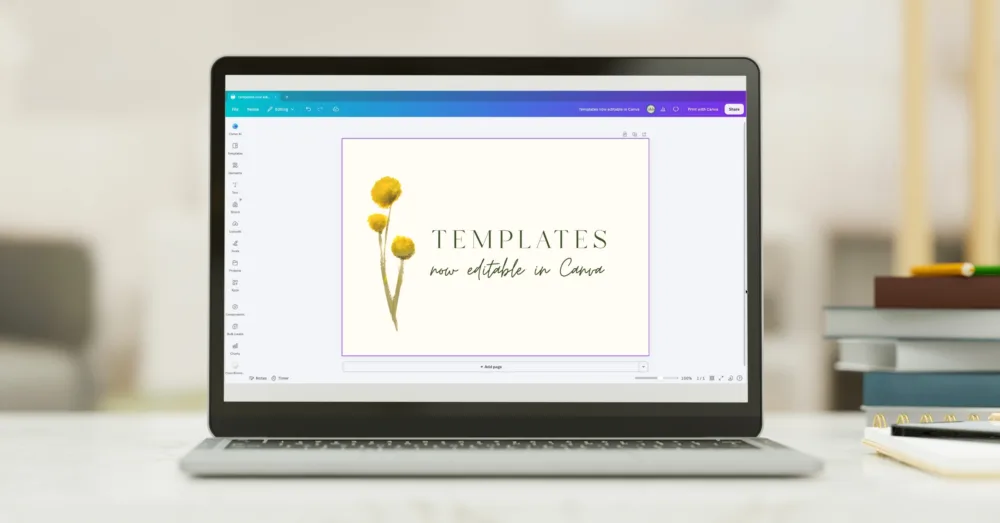
Last month I mentioned I was switching all my templates to Canva for more flexibility when editing the templates. Since then, I’ve recreated about three quarters of the catalogue, including all the on-the-day stationery items. I have had to temporarily pull down the invitations section though, but I’ll put them back up once I’ve recreated the designs in Canva and set them up in the shop.
Another change is that every listing now comes with access links to all paper sizes (where it used to be separated by region). And as always, if you need a custom size, just reach out and I’ll resize it for you for free. The shop’s also looking a little smaller than usual, but that’s because I’m working on some new designs, inspired by the upcoming spring and summer months here in Australia. I’m aiming to have those up in the next few months. 😊
Refreshed designs
While recreating my templates in Canva, I decided to give some of my existing designs a small refresh in the same direction as what’s coming up in the new collections.
Bondi
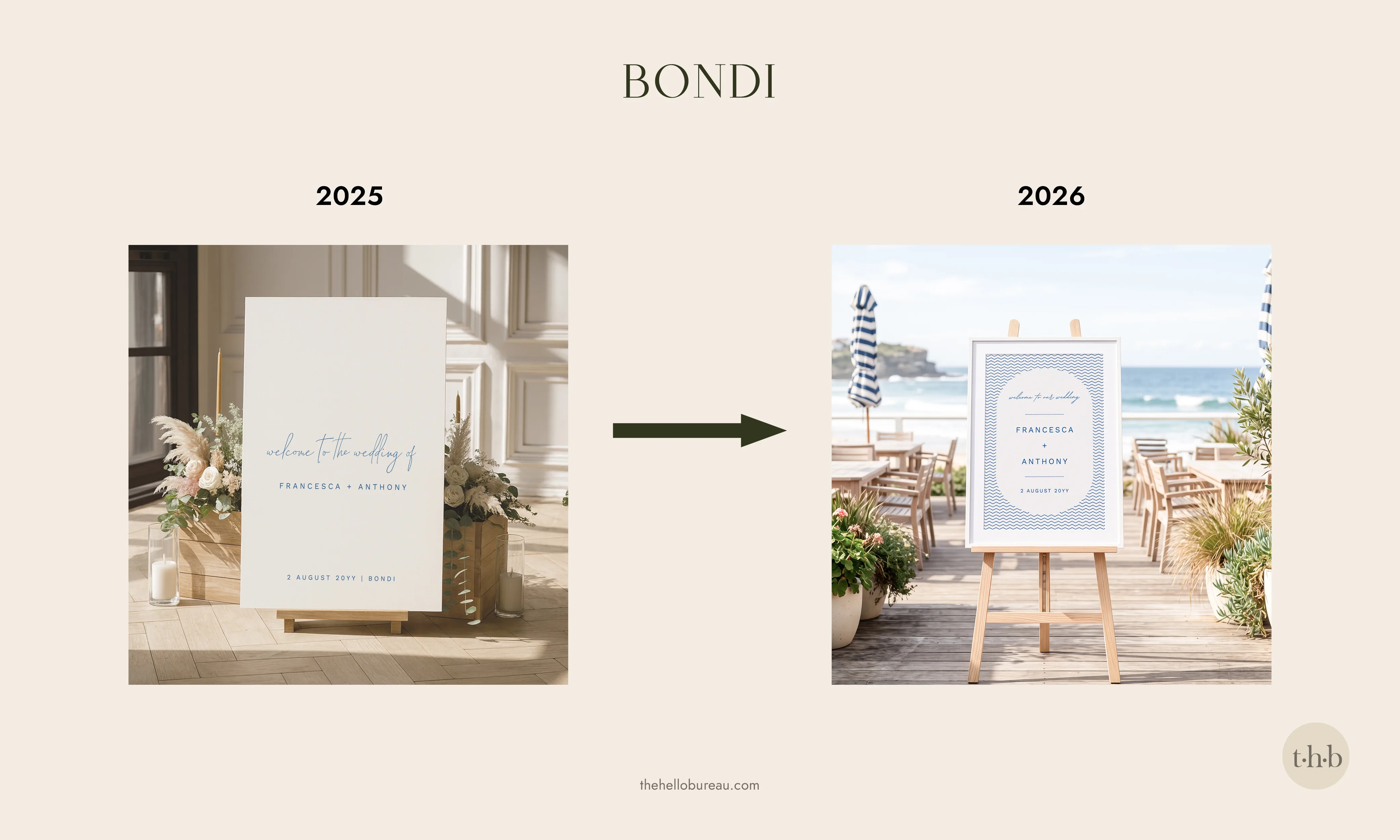
Bondi has gone from minimal to a more casual beach club feel. It’s still coastal but with a little more party now.
Goldfields
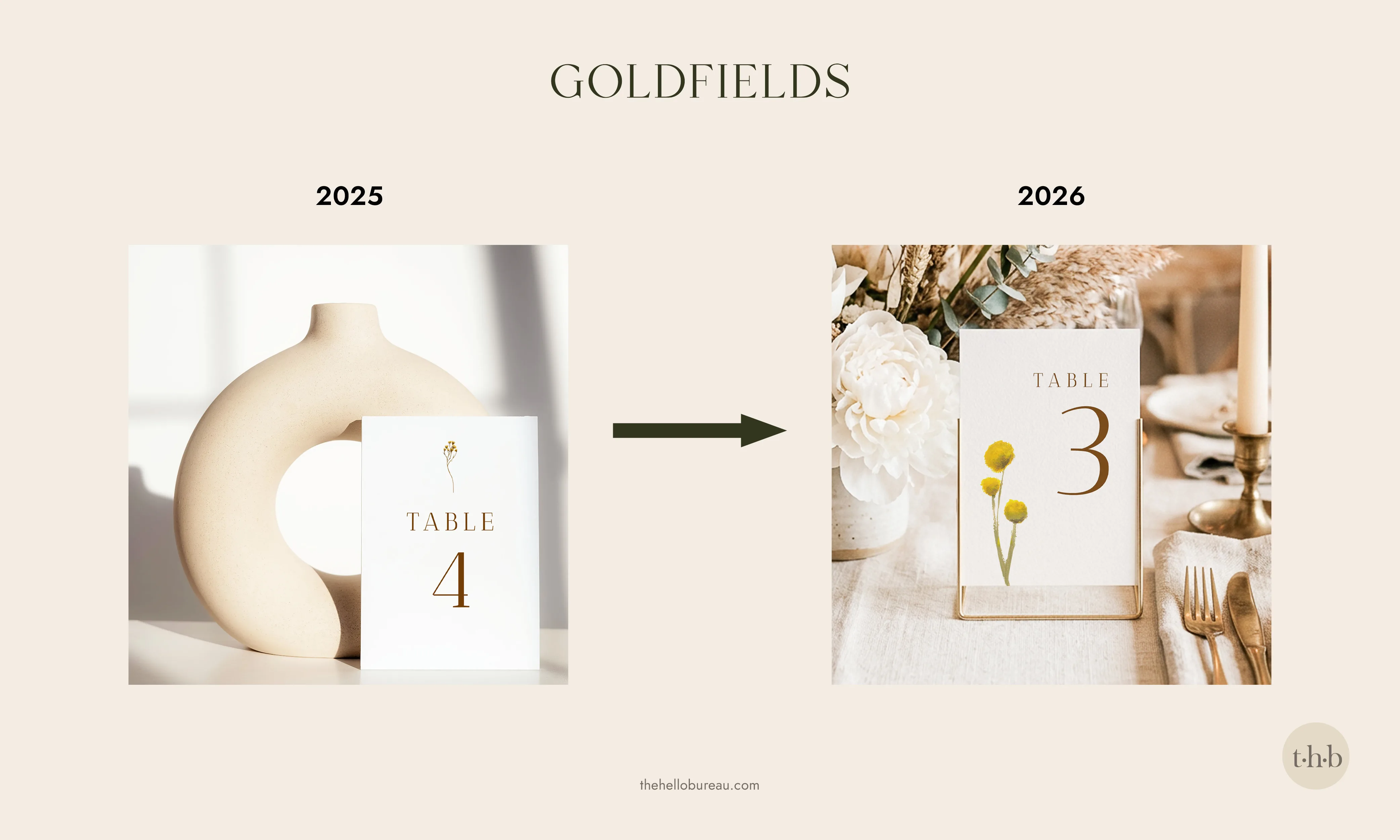
The minimal foliage is gone and replaced by my hand-painted billy buttons for a softer, more textured look.
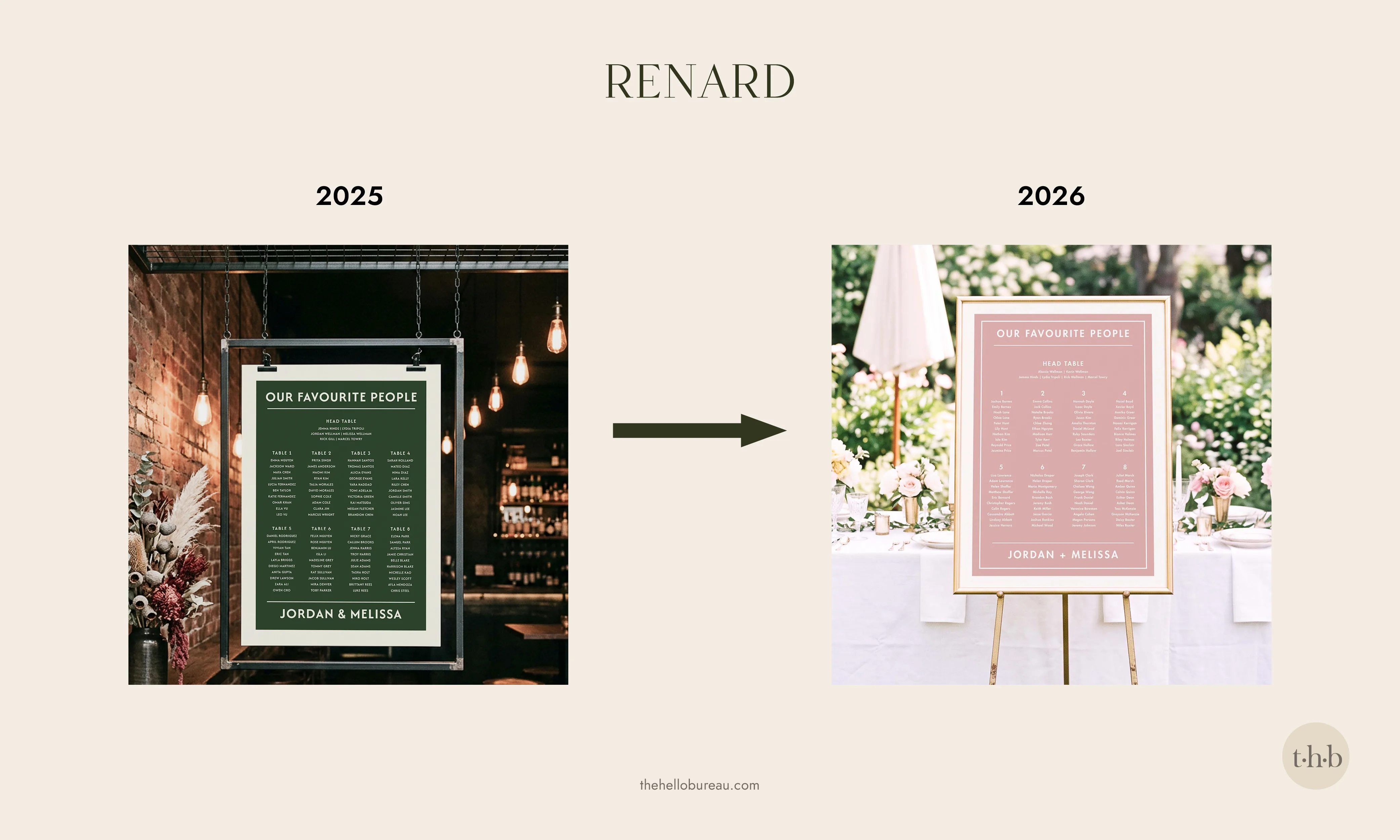
Renard
The dark forest green has been swapped out for a whimsical dusty pink with a new inner border for a more refined finish. This design is actually inspired from Wes Anderson’s world, so the pink felt like the better fit.
New free tools: QR Code Generator and Postage Stamp Cutout Converter
Along with the Canva templates, I’ve also built and added two new tools to the site for you to use, completely free.
The first is a simple QR Code Generator, made with wedding websites and RSVP pages in mind. Just add your link, choose a colour (I added this feature to match your stationery), and hit generate. Then upload the SVG or PNG straight into Canva.
The second is a fun one! Postage stamp shaped photos are the trend right now and this Photo Stamp Cutout Converter cuts your image into the shape of a stamp in a single click. You get a clean transparent PNG at the end of it. No design software or login needed, just something easy so you can get back to your project quicker.
Thank you for your patience!
Thank you for your continued support of my little studio and for sticking with me through all these changes. If you have any questions at all, just drop me a line.
Until the next update, stay creative 😊
x Cass