
Split PDF Into Half Pages Tool
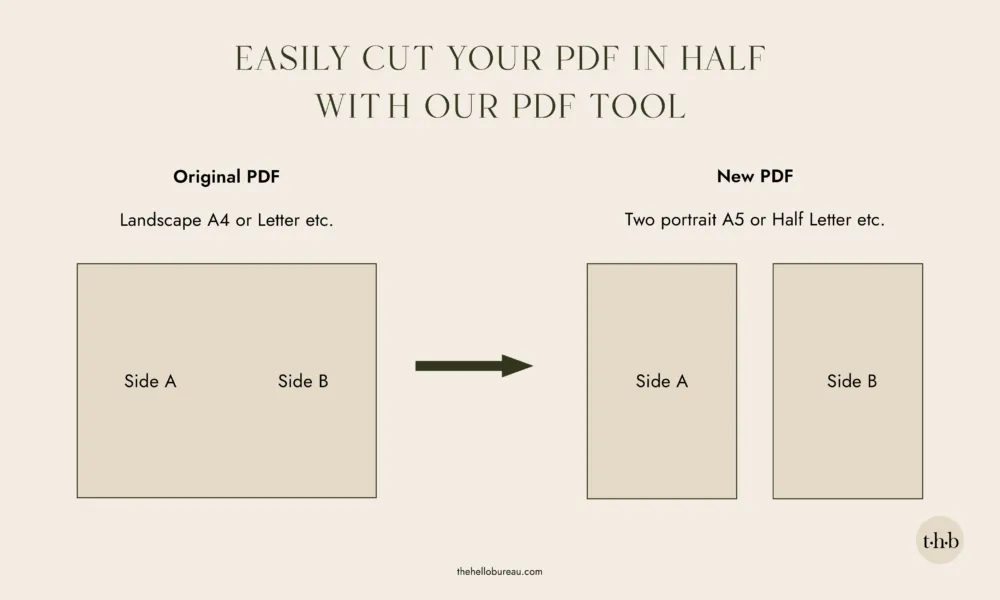
Sometimes you just need to split an A4 page into two A5 pages, or a Letter page into two Half Letter pages. After searching for a tool that could do the simple task of physically splitting a PDF page in two, we decided to build one ourselves.
Nothing fancy, just drop a file in, choose where to cut, and download the result.
We work with digital PDF files every day, so we made this tool to do exactly what it’s meant to and quickly.
How to use the PDF splitter
- Select your file: Drop your landscape PDF into the tool below.
- Choose your cut: Select whether to split each page vertically down the middle or horizontally across.
- Download your pages: Instantly save your new pages, perfectly sized for A5, Half Letter, or your custom layout.
How to split a PDF page in half (A4 to A5, Letter to Half Letter)
Simply drag and drop or click the tool to add your landscape PDF file, choose how you want it to cut and download your new file. Our tool works with any PDF page size, including multiple page PDFs, but it’s built with these common pairings in mind:
- A4 to two A5 pages
- A3 to two A4 pages
- A5 to two A6 pages
- US Letter to two Half Letter pages
- US Legal to two Half Legal pages
What about sizes that don’t match?
If your page doesn’t match a standard size exactly, the tool still splits it evenly, either straight down the middle or straight across, you just won’t see a “recommended” match confirming it lines up with a known paper size. That’s usually fine for custom or oversized templates. It just means you have to double check the result looks right before you print.
Tips for preparing your PDFs for splitting
A few things worth knowing:
- Very large files (50MB or more, or dense scanned pages) may run slowly on older phones or devices with limited memory, since everything processes in your browser rather than a server.
- Password protected PDFs can’t be opened by the tool.
- Pages with unusual rotation or non standard crop boxes may split slightly off from where you’d expect. Worth a quick check of the result before sending anything to print.
- This splits pages in half. It doesn’t resize, crop, or rearrange content, just repositions what’s already there onto two smaller pages.